DIY system kit
Build your Business Ops AI Employee.
Built for operators who lose hours to repeat admin work that should become a clean intake, validation, and reporting workflow.
This page shows the job, the evidence, and the next step. Buy the DIY kit or ask us to set it up.

Matched job
Business Ops AI Employee
Job it does
Admin intake, receipt/event processing, reporting, and operational handoffs
Demo Package Listed
Ready for customers to inspect and buy.
This product has a working demo or recorded workflow asset, a customer-ready delivery package, and checkout enabled after review.
25
Files
5
PDFs
0
DOCX
0
XLSX
- Input record example
- Processed output screenshot
- Report or CRM/spreadsheet handoff
- Troubleshooting checklist
Safety target
Target score before production: 85+ with clean credential, data, and external-call handling.
Back-office agent
See back-office chaos become tasks, records, and owner handoffs.
The demo shows the agent turning messy intake into organized task, vendor, invoice, or staff handoff records that can actually be checked.
The money path
Watch the working agent first. If you want the files, buy the DIY kit for $297. If you want the result, have OpenClaw install the working agent around your real tools, routes, and approval rules.
Matched evidence video
Business ops alert and handoff demo
Watch what you get, how busy admin work becomes clear handoffs, and how to start building it yourself.
Want this working in your business instead of another file pack? Use the install button and we build the agent path for you.
Agent for this kit
Business Ops Automation Agent
We connect the buyer intake source, task system, reporting format, escalation rules, and live-write approval boundaries.
Step 1
Work enters the inbox
The agent receives a task, record, invoice, meeting note, or request.
Step 2
It extracts the work
Important fields, owner, due date, and missing information are pulled out.
Step 3
The team gets the handoff
The output becomes a clear task or report instead of another loose note.
Fit check
Do not buy a random kit.See the job first.
This kit helps you build the Business Ops Automation Kit. Want us to set it up? Use the setup path. Want to build it yourself? Use the kit.
Business Ops AI Employee
Admin intake, receipt/event processing, reporting, and operational handoffs
What it does
- Captures recurring admin inputs such as receipts, events, meetings, or reports
- Validates required fields before the handoff
- Creates structured records instead of scattered notes
- Routes exceptions to a human with context
Evidence to check
- Process map
- Structured record example
- Validation checklist
- Weekly report format
Fit questions
The problem
You do not need more tools.You need one clear fix.
The solution
A plug-and-play Business Ops Automation Kit with ready-to-install task trackers, record databases, handoff workflows, and auto-reporting dashboards that eliminates 10+ hours of manual admin per week and reduces missed handoffs and status-update requests by 80%.
Clear result
A plug-and-play Business Ops Automation Kit with ready-to-install task trackers, record databases, handoff workflows, and auto-reporting dashboards that eliminates 10+ hours of manual admin per week and reduces missed handoffs and status-update requests by 80%.
Setup time
60-150 minutes for self-serve; 2-5 business days with premium setup.
Exact output
INPUT: Slack message from @sarah_dev at 3:42 PM — "Just merged the Stripe checkout flow, pushed to staging, ready for QA." OUTPUT: 1. TASK TRACKED — Project "Checkout 2.0" auto-updated: Task #142 status → "Ready for QA" (completion logged at 3:42 PM, 1 day ahead of ETA). 2. HANDOFF ROUTED — Auto-assigned to @qa_mike with context bundle: linked PR #388, staging URL, acceptance criteria, and a 15-min calendar buffer scheduled for tomorrow at 10:00 AM. 3. WEEKLY REPORT — Entry appended to "Week of Oct 21" draft: "Checkout 2.0: Stripe integration completed by Sarah Chen; QA handoff initiated to Mike Rodriguez." CONFIRMATION: "Handoff initiated. Mike has been notified and the task is now tracked for this week’s report."
Package contents
Everything inside the kit.
No messy dump. You get clear files, a start guide, the builder-agent prompt, and the next steps.
business-ops-automation-kit.zip
25 files · 5 PDFs · 0 DOCX · 0 XLSX
Open first
00-START-HERE.md
Start Here
Open this first. It shows what to do now, what to do next, what prompt to give your builder agent, and what done looks like.
Agent-build prompt included
Paste 09-AGENT-BUILD-PROMPT.md into your AI builder so it asks for the right business inputs, builds in no-send mode, saves evidence, and blocks live sends or writes until approved.
No clutter guarantee
No internal notes or mystery files. Each file is labeled and ready to use.
Marketplace-ready images
9 approved images are included for your listing, pitch deck, or resale page.
What runs
What runs inside this kit.
These are the ingredients. The kit is the recipe that connects them into one workflow.
Setup steps
From inspection to launch.
Open the Business Ops Automation Kit and map your three most repetitive back-office workflows into the automated task routing template
Assign an owner to every recurring task and activate the automated records to log status, deadlines, and handoffs without manual data entry
Configure the owner reports to auto-deliver weekly summaries of completed work, active bottlenecks, and overdue items to each stakeholder
Turn on the accountability triggers so the system automatically flags missed deadlines and reroutes stalled tasks to the appropriate person
Launch the full automation and review your first week’s results as repetitive admin hours shrink and back-office visibility becomes real-time
Document preview
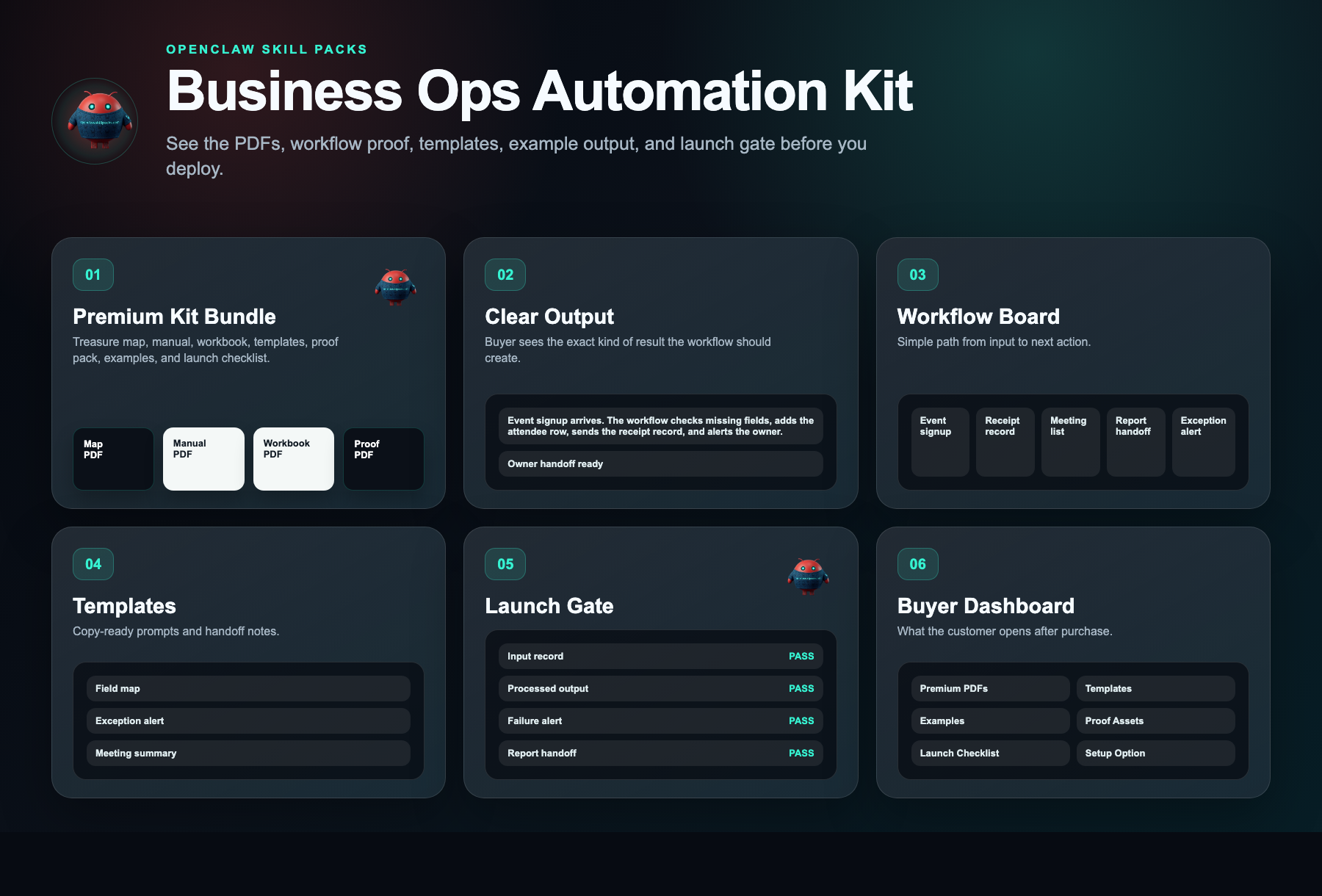
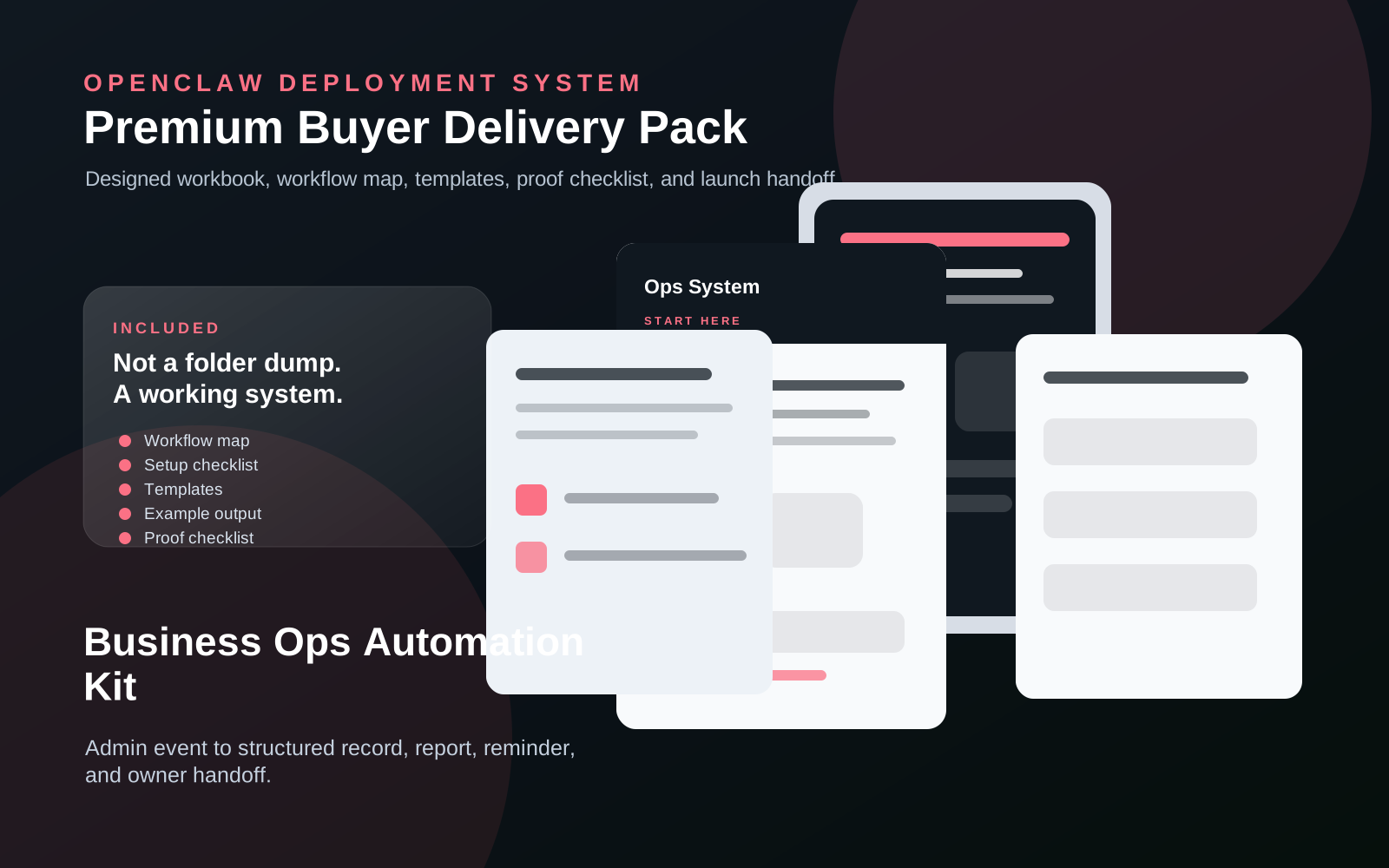
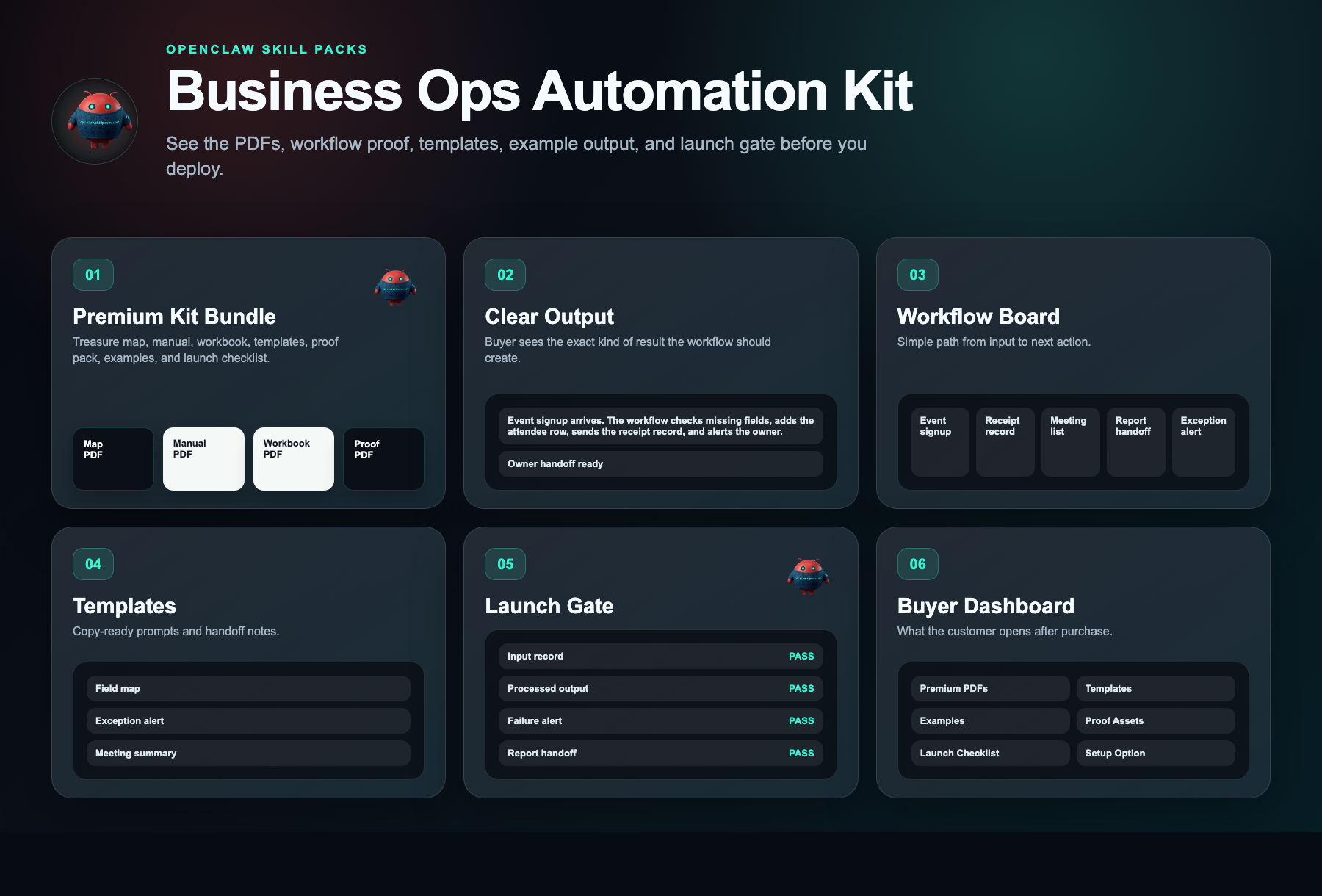
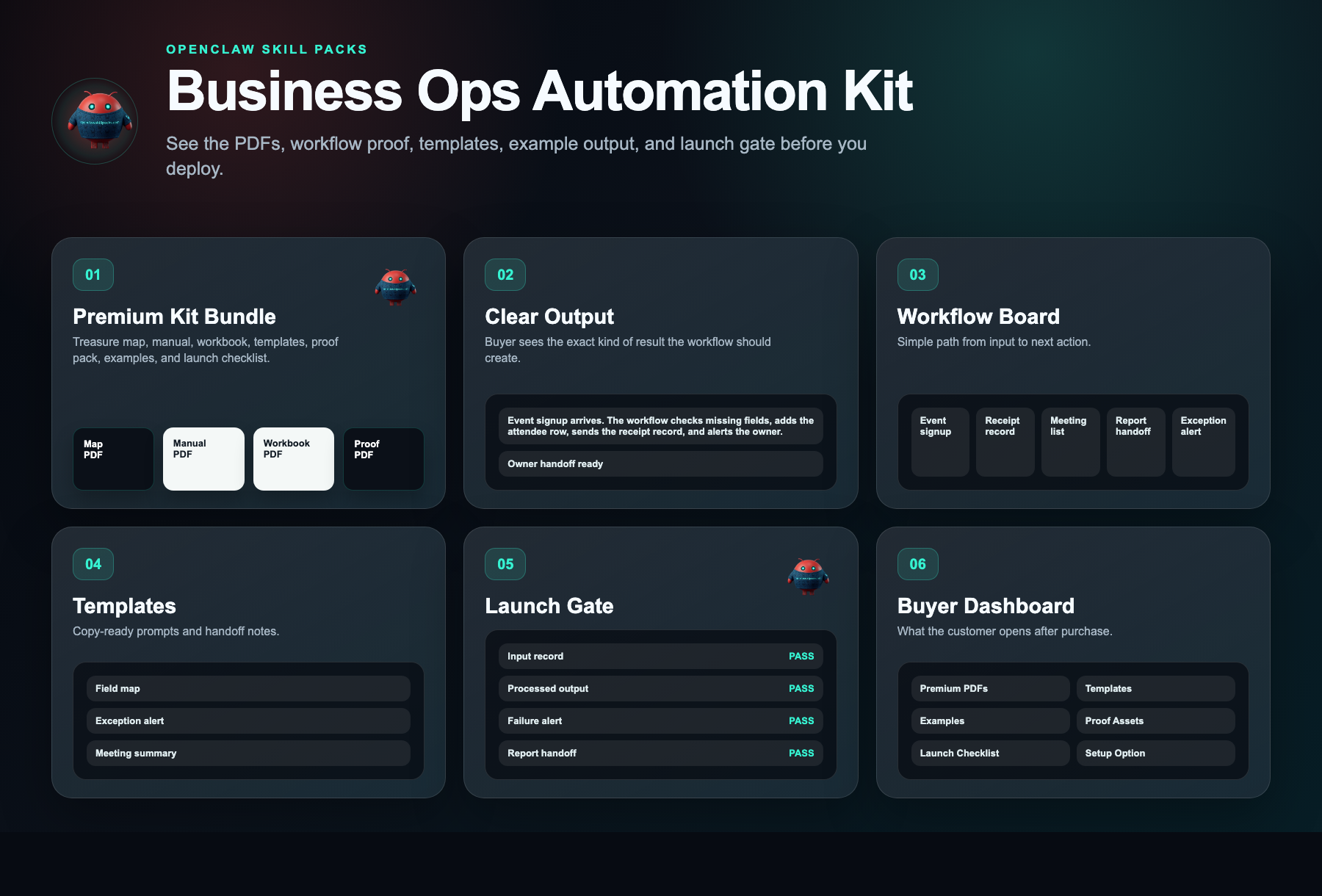
See what is inside.
Every kit helps you start with a clear workflow, simple setup steps, ready-to-use messages, example outputs, and a delivery dashboard.
Evidence status
Watch before you buy.
Watch what you get, how busy admin work becomes clear handoffs, and how to start building it yourself.
Evidence walkthrough
Business ops alert and handoff demo
Safety layer
Fleet Shield verifies before you deploy.
Every skill in this kit has been reviewed for credential access, external calls, data handling, and permission scope. You see the safety notes before you install.
Who this is for
- Owner-operators of service businesses (agencies, consultancies, trades) doing $300K–$3M who personally lose 10+ hours/week to chasing updates, manual client reporting, and spreadsheet-based team coordination
- Operations consultants and agency implementors who sell systems-setup services to SMBs and need a rebrandable, templated automation kit to deliver client results in days instead of building from scratch each time
- Small business founders with 2–10 employees or subcontractors who currently run operations through scattered spreadsheets, emails, and Slack threads and need a centralized, self-updating command center
Not the right fit
- Enterprise teams or funded startups with 50+ employees, dedicated ops managers, and custom ERP requirements looking for dev-built API automation and white-glove implementation support
- Solo hobbyists or side-hustlers with no team, no recurring client workflows, and no operational handoffs who only need a basic personal to-do app
Free building blocks
Inspect the ingredients before you buy the recipe.
These skills remain free to inspect. The paid kit shows how to connect, configure, test, and launch them as one working workflow.
Lead Notifier
Free scorecard liveRoutes important workflow events to the operator instead of hiding them in a spreadsheet.
Setup requirement
Event fields, destination channel, priority rules, and owner.
Evidence asset needed
Ops alert screenshot and matching record.
OpenClaw Sales Agent
Source-visible proof pathClassifies records and routes the next action to the correct owner.
Setup requirement
Record types, destination fields, and owner routing rules.
Evidence asset needed
Processed record and owner handoff screenshot.
Free vs paid
Skills are free. The kit is paid.
Free in OpenClaw
- Skill scorecards
- Findings summaries
- Source visibility
- Fleet Shield notes
- Inspect building blocks
$297 DIY Kit
- 30-minute start guide
- Setup manual
- Fill-in workbook
- Scripts and templates
- Evidence and resale guide
- Workflow map
Premium Setup $497+
- Help setting it up
- Setup for your business
- Connect the handoff
- Help with test runs
- Launch support
Delivery checklist
What happens after purchase
You receive the self-serve deployment kit.
The free skills are still free. The kit is the implementation path that turns them into a working business workflow.
- 1.30-minute start guide PDF
- 2.Setup manual PDF
- 3.Workbook PDF
- 4.Scripts and templates PDF
- 5.Evidence and resale PDF
- 6.Automation files
Need the right fit first?
Tell us what you want AI to fix. We’ll show you the AI agent that can help.
Takes 30 seconds. No spam.
FAQ
What am I paying for?
You pay for the system that helps you put the free skill notes to work. The kit gives you the setup order, workflow map, ready-to-use messages, examples, tests, and launch checklist for a plug-and-play business ops automation kit with ready-to-install task trackers, record databases, handoff workflows, and auto-reporting dashboards that eliminates 10+ hours of manual admin per week and reduces missed handoffs and status-update requests by 80%..
Are the skills free?
Yes. Skill notes are free to view. The paid kit shows how to use them together for one business job.
Why is the kit $297 if the skills are free?
Because the value is the working path: what to use, what order to use it in, what messages to copy, where the lead goes, and how to test it.
Can I build it myself using only the free skills?
Yes, if you want to work it out yourself. The kit is for buyers who want the short path: files, examples, tests, and launch steps in one place.
What if I want help installing it?
Premium setup starts at $497. That is for buyers who want help configuring the workflow around their business, handoff destination, and launch requirements.
Does this actually work, or is it just another template I have to manage?
It is a working system, not a template. Tasks route, records update, and reports generate automatically. Most owners reclaim 5–10 hours of admin time every week.
Will this work for my specific business?
Yes. Any small business running on spreadsheets, email, or manual handoffs can use it. Setup takes under an hour, regardless of your industry.
What exactly do I get when I buy?
Automated task routing, digital records, owner reports, and accountability tracking. You receive immediate access. One-time cost: $297. No subscriptions.