DIY lead capture system
Get the exact system to help you get more local leads automatically.
Use the same workflows, messages, setup guides, and automation systems we use for local service businesses.
This is a DIY setup kit. You build it yourself using our system and guides. Need help? You can upgrade to done-for-you setup later.
54 checkout starts pointed here
One evidence first: missed call recovery for local service businesses.
Call the live AI demo or enter a business website. The installed workflow is simple: missed call, fast reply, job details, owner alert, then booking or callback.
Browser-based live voice demo — no phone needed. Click, allow mic, and talk to the AI agent.

What people came for
Local Service Revenue Automation DIY Kit
Simple job
This is a six-part DIY workflow/template package for a local business. It shows how to catch a lead, get the details, draft follow-up, prepare booking handoff, report results, and check safety.
Why people buy it
One good booked job can cover the kit. Start DIY today, then request setup help if you want the system installed around your phone, forms, CRM, and calendar.
Demo Package Listed
Ready for customers to inspect and buy.
This product has a working demo or recorded workflow asset, a customer-ready delivery package, and checkout enabled after review.
28
Files
5
PDFs
0
DOCX
0
XLSX
- Missed-call recovery proof walkthrough using our own OpenClaw buyer path
- After-hours inquiry capture example
- Qualified lead record screenshot
- Callback and follow-up message sequence
Safety target
Target score before production: 85+ with clean credential, messaging, calendar, CRM, and notification handling.
Missed-call recovery agent
See the missed-call recovery system working before you buy it.
Call the live demo or run a business website through the demo. You will see how the agent captures the lead, asks for job details, and gets the owner the next step.
The money path
Watch the working agent first. If you want the files, buy the DIY kit for $297. If you want the result, have OpenClaw install the working agent around your real tools, routes, and approval rules.
Live voice demo — browser only, no phone
Talk to the AI agent right now in your browser. Click, allow mic access, and hear what your customers would experience.
Try Live Voice DemoMatched evidence video
Maya missed-call recovery demo
Shows the local-service agent catching a missed call and turning it into a usable lead path.
Want this working in your business instead of another file pack? Use the install button and we build the agent path for you.
Agent for this kit
Local Service AI Receptionist
We connect the phone, form, CRM, calendar, owner alert, evidence report, and no-send safety rules before public SMS is turned on.
Step 1
Missed lead comes in
The demo starts with a call, website form, or local-service lead request.
Step 2
Agent qualifies the job
It collects the business, job type, urgency, service area, and callback details.
Step 3
Owner sees the money path
The owner gets the lead summary, missed-revenue evidence, and checkout/install path.
Plain English
What is this?
This is an AI lead team for a local business. When someone asks for a price, calls after hours, fills out a form, or wants to book a job, the helper answers fast.
It asks what they need. It gets their name, phone number, address, and job details. Then it tells the business owner what to do next.
What we build
A local service lead capture system. It catches the lead, asks what they need, marks hot jobs, drafts the next step, alerts the owner, and saves evidence.
How we use our own business
OpenClaw has people viewing evidence pages, taking the quiz, and trying to buy. We use that same path as evidence: catch the buyer, sort the need, show the next step, and save the run.
1. Catch
Call, form, chat, or quote request gets saved.
2. Sort
Hot job, warm job, or later job.
3. Move
Owner sees the lead and the next step.
Real example
Example: roof leak at night.
A homeowner has a roof leak at 8:30 PM. They fill out a form. Normally, nobody replies until tomorrow. By then, they may call another roofer.
With this system, the lead path replies right away, asks what happened, gets the address and phone number, and asks if they want someone to call.
Owner gets this
New urgent roof repair lead
Name: John
Phone: 555-555-5555
City: Sunrise
Problem: active roof leak
Next step: call now
The six agents
The 6 local business AI helpers.
People do not pay for a vague AI tool. They pay for a system close to money: leads, follow-up, bookings, and evidence.
Lead Intake Agent
Catches missed calls, forms, chats, quote requests, and manual leads.
Website Chat Agent
Talks to visitors, asks what they need, and collects job details.
Follow-Up Agent
Drafts texts, emails, and reminders so warm leads do not go cold.
Booking Handoff Agent
Moves qualified leads to a booking link, estimator task, or owner callback.
Owner Report Agent
Shows leads, follow-ups, booked jobs, open leads, and missed revenue leaks.
Safety Review Agent
Checks permissions, approval points, stop rules, and no-send boundaries.
When a client buys the install path, we collect the real phone/form/CRM/calendar setup, write the safe rules, run test leads, and turn on only what passes.
Fit check
Do not buy before evidence.See the lead path first.
This page shows the lead path before checkout: workflow map, sample lead, owner alert, follow-up, booking handoff, kit contents, and test checklist.
Lead capture system
Six helper paths for lead intake, website chat, follow-up, booking handoff, owner reporting, and safety review
What it does
- Captures missed calls, form leads, chats, quote requests, and after-hours inquiries
- Asks the minimum qualification questions needed to route the opportunity
- Drafts the first follow-up and owner alert before the lead goes cold
- Hands the lead to calendar, CRM, email, or a human closer
- Reports what came in, what needs attention, and what stayed safely blocked
Evidence to check
- Captured lead record
- Follow-up message sequence
- Booking or callback handoff
- Owner report and safety checklist
Fit questions
The problem
The lead is there.The follow-up is missing.
The agent
The agent catches missed leads, sorts them, and tells the owner what to do next.
Catch
The missed call or form lead is saved with name, phone, job type, and need.
Sort
The lead is marked hot, warm, or later so the owner knows what matters.
Show evidence
The run shows the lead, the next step, and whether anything was sent or blocked.
What you get
Everything needed to start building today.
The kit is built to help you catch more local leads, follow up faster, and keep every next step organized.
Step-by-step setup guide
Follow the setup path without guessing what comes first.
Ready-to-use automations
Start from working lead, intake, follow-up, and booking flows.
Copy-and-paste messages
Use messages for callbacks, quote requests, and owner handoff.
Real examples and evidence assets
See what a captured lead, next step, and review output look like.
Fast-start checklist
Know what to do today, what to test, and when to upgrade to install help.
What is inside the product
The actual files you get.
You get the setup guide, ready-to-use automations, copy-and-paste messages, lead follow-up system, intake and booking workflows, real examples, evidence assets, and a fast-start checklist.
local-service-revenue-automation-kit.zip
28 files · 5 PDFs · 0 DOCX · 0 XLSX
Open first
START-HERE.txt
Start with the leak
Open START-HERE first. It explains the lead capture workflow, then points you to the setup guide, automations, messages, examples, evidence assets, and fast-start checklist.
Agent-build prompt included
Paste 09-AGENT-BUILD-PROMPT.md into your AI builder so it asks for the right business inputs, builds in no-send mode, saves evidence, and blocks live sends or writes until approved.
DIY system, install help later
The kit helps you build it yourself. A live install is available later when you want us to connect the business tools and launch rules.
Evidence and resale assets
Use the evidence images, dashboard, Canva link, and resale pack to explain the system to a client before installation.
Pick your path
Let us install it, or build it yourself.
Choose the DIY kit or the setup path. The kit helps you build it yourself using our system and guides. The setup path is where we configure it for the business.
Setup help
Want Us To Install It For You?
Best when you want the lead system set up for one business. We configure the lead path, owner alert, follow-up drafts, booking handoff, evidence report, safety rules, and launch walkthrough.
Want Us To Install It For You?DIY kit
Build It Yourself — $197
Best for builders, agencies, and business owners who want to start today. You get the setup guide, ready-to-use automations, copy-and-paste messages, intake and booking workflows, real examples, and a fast-start checklist.
What runs
What runs inside this kit.
These are the ingredients. The kit is the recipe that connects them into one workflow.
Setup steps
From inspection to launch.
Open the kit and plug your business phone, website, and booking calendar into the automation dashboard to activate your 24/7 capture foundation
Install the 24/7 lead capture widgets and call-forwarding triggers on your site and paid ads so every fencing, cleaning, roofing, or solar inquiry is logged instantly
Customize the instant text-back templates with your trade-specific welcome message and quick-qualifier script so new leads get engaged within seconds
Map your live calendar and enable the booking automation workflows so qualified homeowners schedule appointments without manual back-and-forth
Launch the system live and let it capture, text, and book jobs around the clock while you focus on running your crews
Document preview
See what is inside.
Every kit helps you start with a clear workflow, simple setup steps, ready-to-use messages, example outputs, and a delivery dashboard.
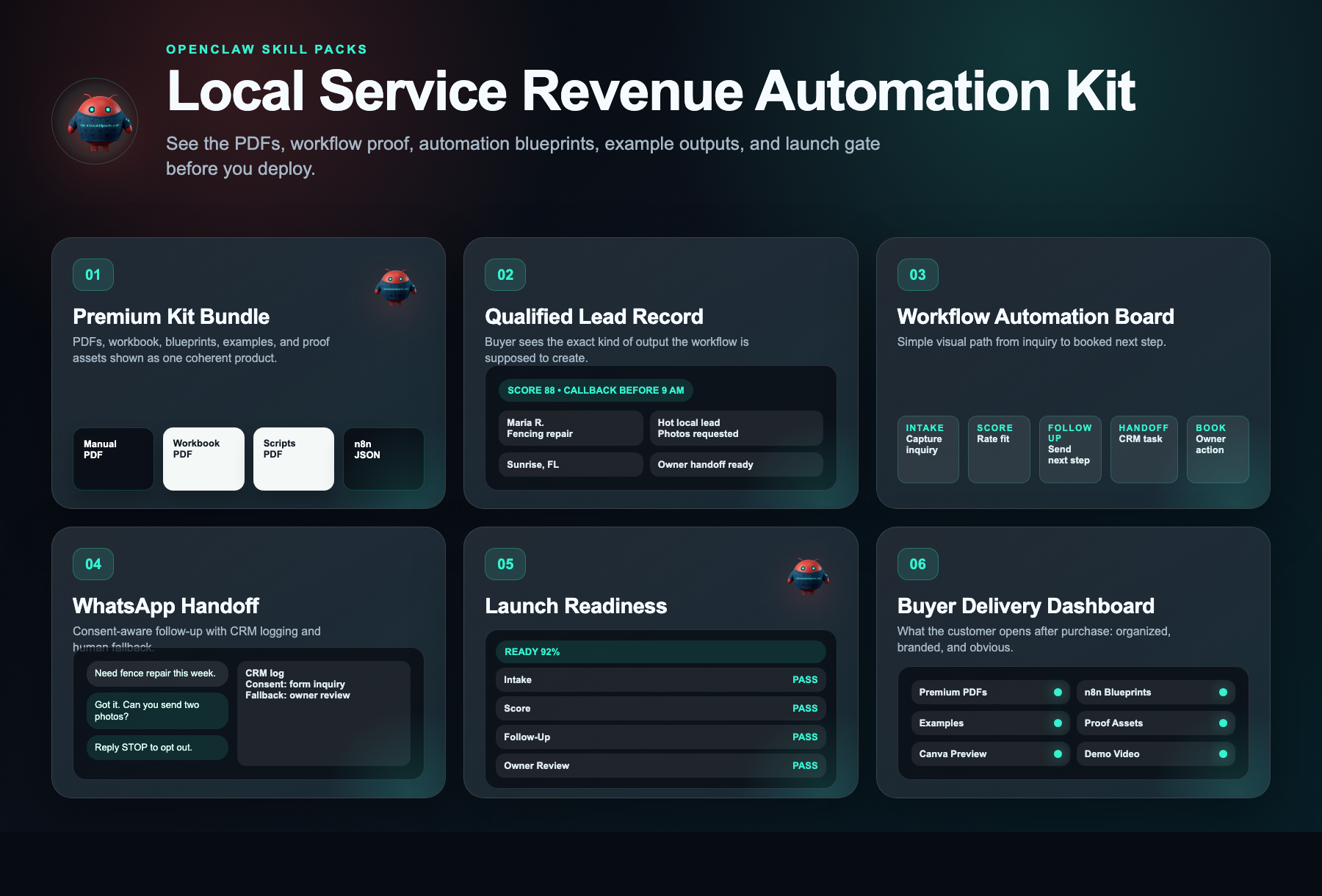
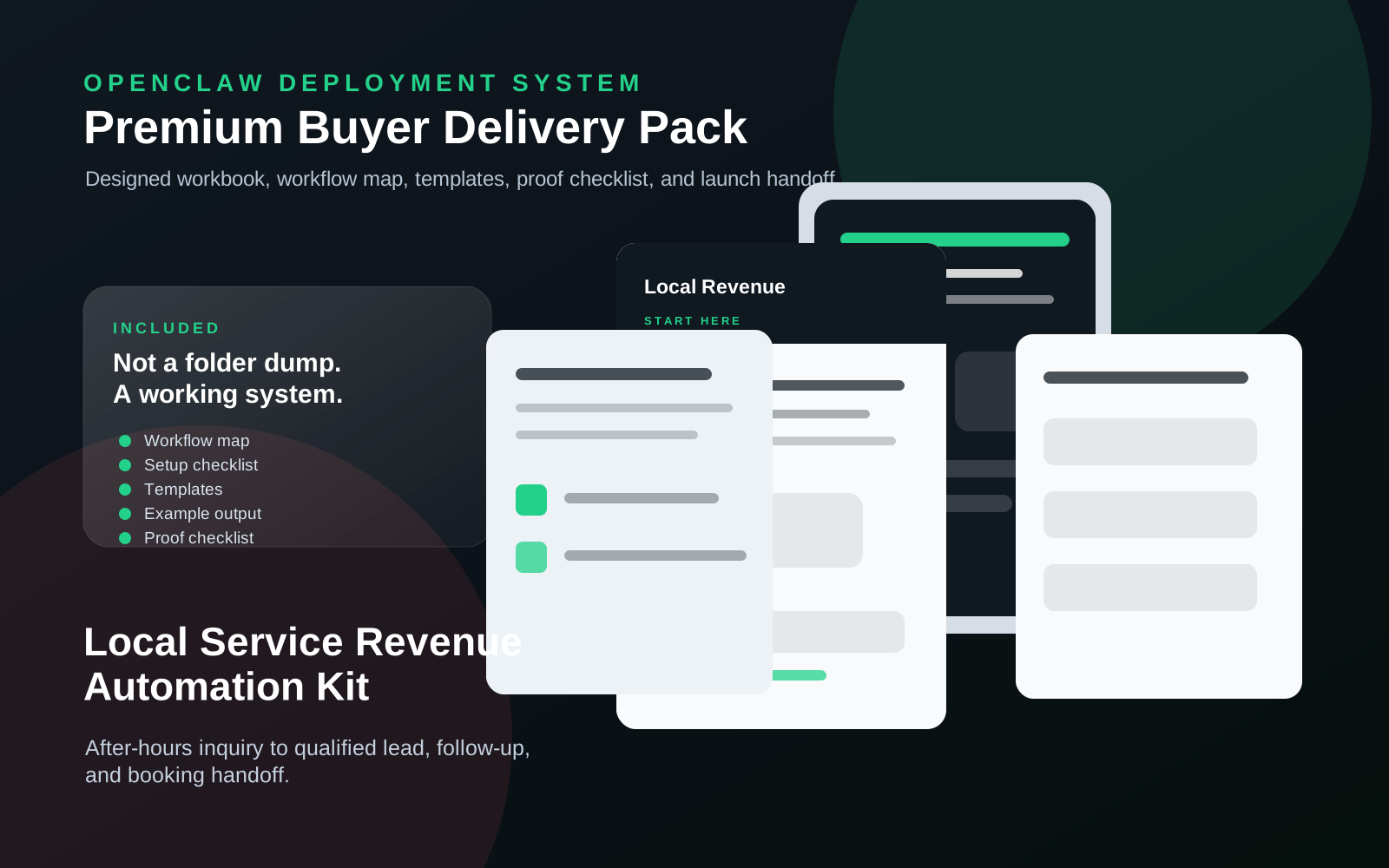
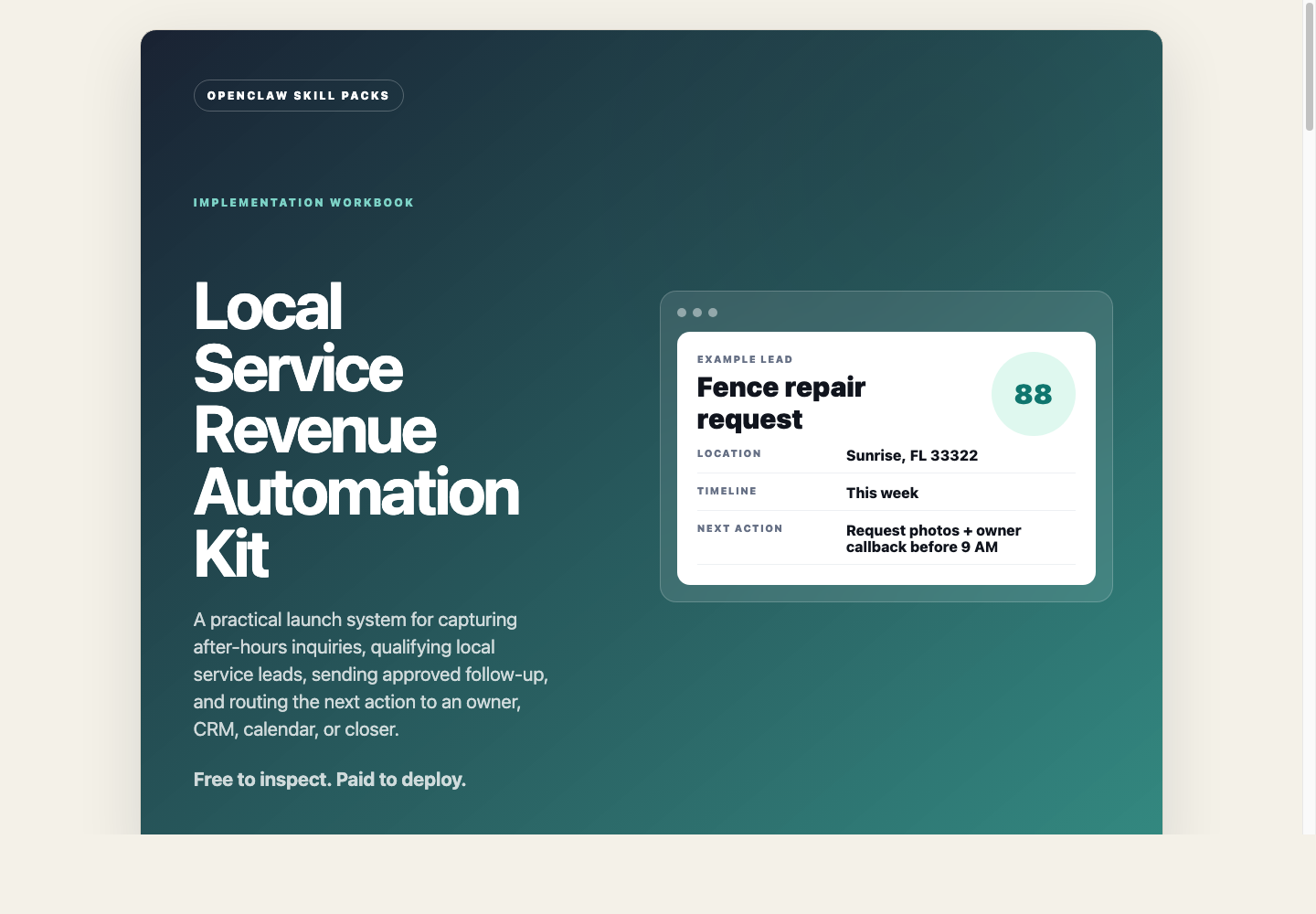
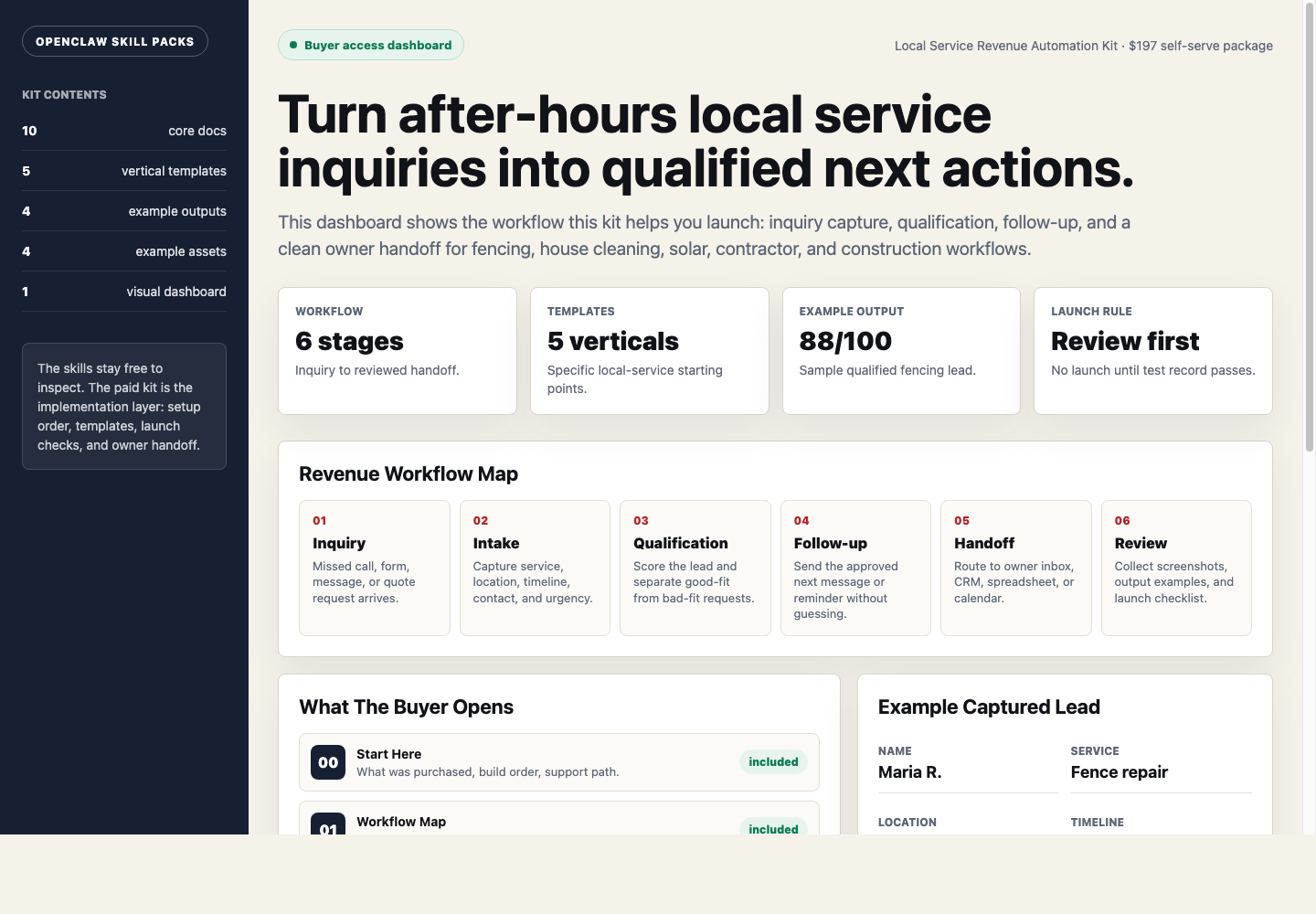
Evidence status
Watch before you buy.
Watch what you get, how the lead follow-up system works, and how to start building it yourself. Need help later? You can upgrade to done-for-you setup.
Evidence walkthrough
Local service revenue kit walkthrough
Safety layer
Fleet Shield verifies before you deploy.
Every skill in this kit has been reviewed for credential access, external calls, data handling, and permission scope. You see the safety notes before you install.
Who this is for
- Fencing, pressure washing, cleaning, solar, and remodeling owner-operators with 1–5 crews who miss calls on job sites and currently lose 20%+ of inbound leads to faster competitors
- Local marketing agencies and freelance funnel builders selling missed-call text-back and booking automation to home service clients who need a repeatable deployment kit with SOPs
- Trades business office managers or dispatchers processing 50+ leads per month through sticky notes and manual texts who need an automated lead-to-crew-dispatch pipeline without enterprise software bloat
Not the right fit
- Business owners expecting a fully done-for-you white-glove setup who refuse to map their own automation workflows or configure basic software themselves
- E-commerce, SaaS, coaching, or national brands without a local service territory, inbound phone leads, or physical crews to dispatch
Free building blocks
Inspect the ingredients before you buy the recipe.
These skills remain free to inspect. The paid kit shows how to connect, configure, test, and launch them as one working workflow.
AI Voice Receptionist
A / 90Answers common questions, captures caller details, and starts the booking or callback path.
Setup requirement
Business FAQ, intake script, business hours, and phone or handoff destination.
Evidence asset needed
Call transcript, captured lead record, and callback or booking action.
Smart Lead Qualification
A / 100Scores the lead and decides whether to book, follow up, or escalate.
Setup requirement
Qualification questions, service area, score threshold, and routing rules.
Evidence asset needed
Qualified lead example with score and next action.
WhatsApp AI Chatbot
A / 90Sends follow-up messages, captures replies, and escalates unclear responses.
Setup requirement
Consent source, approved templates, opt-out copy, CRM fields, and human fallback.
Evidence asset needed
Message thread, opt-out copy, and CRM reply log.
Lead Notifier
Free scorecard livePushes captured lead details to the right person before the opportunity goes cold.
Setup requirement
Notification channel, lead fields, response SLA, and owner destination.
Evidence asset needed
Lead alert screenshot with source, contact details, and next action.
Free vs paid
Skills are free. The kit is paid.
Free in OpenClaw
- Skill scorecards
- Findings summaries
- Source visibility
- Fleet Shield notes
- Inspect building blocks
$297 DIY Kit
- 30-minute start guide
- Setup manual
- Fill-in workbook
- Scripts and templates
- Evidence and resale guide
- Workflow map
Premium Setup $497+
- Help setting it up
- Setup for your business
- Connect the handoff
- Help with test runs
- Launch support
Delivery checklist
What happens after purchase
You receive the self-serve deployment kit.
The free skills are still free. The kit is the implementation path that turns them into a working business workflow.
- 1.30-minute start guide PDF
- 2.Setup manual PDF
- 3.Workbook PDF
- 4.Scripts and templates PDF
- 5.Evidence and resale PDF
- 6.Automation files
Need the right fit first?
Tell us what you want AI to fix. We’ll show you the AI agent that can help.
Takes 30 seconds. No spam.
FAQ
What am I paying for?
You pay for the system that helps you put the free skill notes to work. The kit gives you the setup order, workflow map, ready-to-use messages, examples, tests, and launch checklist for a plug-and-play diy automation kit that installs a 24/7 lead capture, instant text-back, and 14-day follow-up system converting 80%+ of inbound local service inquiries into booked estimates within 24 hours without hiring a receptionist or paying for a $300/month crm.
Are the skills free?
Yes. Skill notes are free to view. The paid kit shows how to use them together for one business job.
Why is the kit $297 if the skills are free?
Because the value is the working path: what to use, what order to use it in, what messages to copy, where the lead goes, and how to test it.
Can I build it myself using only the free skills?
Yes, if you want to work it out yourself. The kit is for buyers who want the short path: files, examples, tests, and launch steps in one place.
What if I want help installing it?
Premium setup starts at $497. That is for buyers who want help configuring the workflow around their business, handoff destination, and launch requirements.
Is this real, or does it actually work?
It works. Every missed call gets an instant text-back, 24/7. Most contractors recover the $297 with one job they would have lost to a faster competitor.
Will this work for my specific business?
Yes. Built for home service contractors—roofing, fencing, cleaning, solar. If you book appointments and lose jobs to faster responders, it fits your business.
What exactly do I get when I buy?
The automation kit: 24/7 lead capture, instant text-back templates, and booking automation. Saves hours daily and stops lost revenue from missed calls.