DIY system kit
Build your Prospect Research AI Employee.
Built for agencies and local sellers who need cleaner prospect research without turning scraping into spam.
This page shows the job, the evidence, and the next step. Buy the DIY kit or ask us to set it up.

Matched job
Prospect Research AI Employee
Job it does
Local prospect discovery, cleanup, enrichment, scoring, and human review
Demo Package Listed
Ready for customers to inspect and buy.
This product has a working demo or recorded workflow asset, a customer-ready delivery package, and checkout enabled after review.
25
Files
5
PDFs
0
DOCX
0
XLSX
- Sample CSV screenshot
- Before/after cleaned lead row
- Research run log excerpt
- Public source notes and allowed-field list
Safety target
Target score before production: 80+ with clear rate-limit and data-handling notes.
Prospect research agent
See local prospects found, scored, and packaged for review.
The demo shows how the agent turns a niche and service area into a cleaner prospect list with scoring, notes, and follow-up-ready context.
The money path
Watch the working agent first. If you want the files, buy the DIY kit for $297. If you want the result, have OpenClaw install the working agent around your real tools, routes, and approval rules.
Matched evidence video
Google Maps prospect research demo
Watch what you get, how local prospects are found and sorted, and how to start building it yourself.
Want this working in your business instead of another file pack? Use the install button and we build the agent path for you.
Agent for this kit
Maps Prospect Research Agent
We install niche/city rules, source rules, dedupe rules, scoring, review queue, and outreach approval boundaries.
Step 1
Pick a niche and city
The agent starts from the buyer market instead of a generic scrape.
Step 2
Prospects get scored
Records are cleaned, deduped, and ranked for fit.
Step 3
Owner reviews the batch
The install path keeps outreach approval-gated before anything is sent.
Fit check
Do not buy a random kit.See the job first.
This kit helps you build the Maps Prospect Research Kit. Want us to set it up? Use the setup path. Want to build it yourself? Use the kit.
Prospect Research AI Employee
Local prospect discovery, cleanup, enrichment, scoring, and human review
What it does
- Builds focused prospect lists from local search signals
- Dedupes and enriches rows before outreach
- Scores prospects against the target niche
- Keeps compliance and human review in the workflow
Evidence to check
- Prospect tracker example
- Dedupe and enrichment map
- Compliance review checklist
- Outreach-ready row format
Fit questions
The problem
You do not need more tools.You need one clear fix.
The solution
A Google Maps prospecting system with built-in scoring rubrics and review templates that produces a qualified, enriched list of 100+ local service-business leads in under 90 minutes—replacing 6+ hours of manual research.
Clear result
A Google Maps prospecting system with built-in scoring rubrics and review templates that produces a qualified, enriched list of 100+ local service-business leads in under 90 minutes—replacing 6+ hours of manual research.
Setup time
60-120 minutes for self-serve; 2-5 business days with premium setup.
Exact output
Input: {"location": "Austin, TX", "business_type": "Plumbing contractors", "filters": {"min_rating": 4.0, "min_reviews": 15}, "scoring_weights": {"rating": 0.25, "review_volume": 0.25, "contactability": 0.30, "web_presence": 0.20}, "max_results": 3} Output: {"run_id": "gmpr_1716201", "query_summary": "Plumbing contractors in Austin, TX", "total_mapped": 147, "prospects": [{"rank": 1, "business_name": "Austin Express Plumbing & Drain", "address": "4500 E Cesar Chavez St, Austin, TX 78702", "phone": "(512) 555-0198", "website": "austinexpressplumbing.com", "rating": 4.7, "review_count": 312, "prospect_score": 96, "score_breakdown": {"rating": 25, "review_volume": 25, "contactability": 30, "web_presence": 16}, "labels": ["Hot", "Family-Owned"], "ai_signals": "High review velocity (+12/mo). Sentiment: 92% positive; ’emergency’ keyword trend. Gap: no online booking.", "decision_maker": "2nd-gen owner", "contact_ready": true}, {"rank": 2, "business_name": "Hill Country Leak Detection", "address": "8901 N Lamar Blvd, Austin, TX 78753", "phone": "(512) 555-0271", "website": null, "rating": 4.9, "review_count": 47, "prospect_score": 81, "score_breakdown": {"rating": 25, "review_volume": 12, "contactability": 30, "web_presence": 14}, "labels": ["Warm", "Niche-Specialist"], "ai_signals": "No website = captive Google Maps audience. 97% sentiment. Low volume but high trust.", "decision_maker": "Sole operator", "contact_ready": true}], "metadata": {"credits_used": 1, "cache_hit": false}}
Package contents
Everything inside the kit.
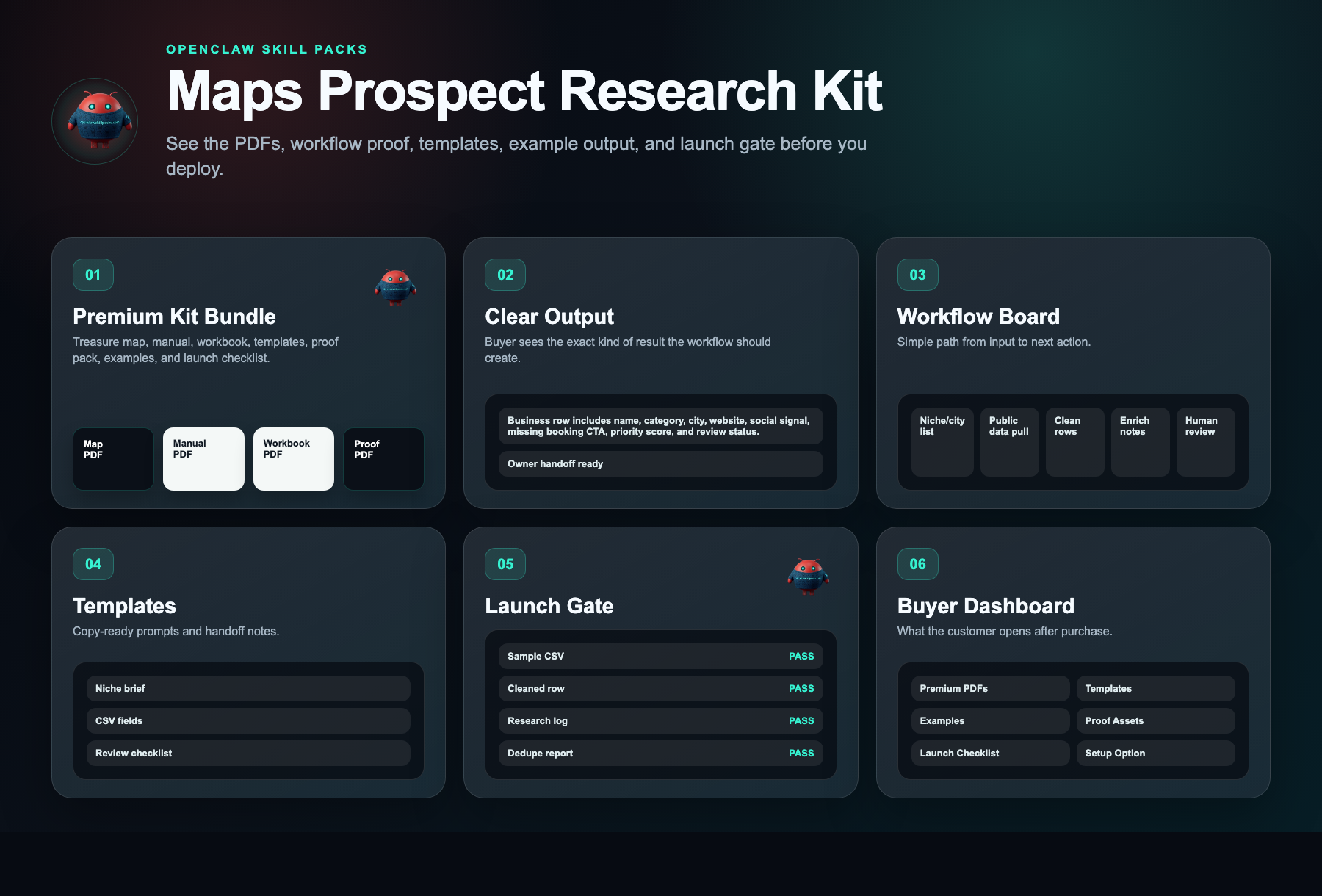
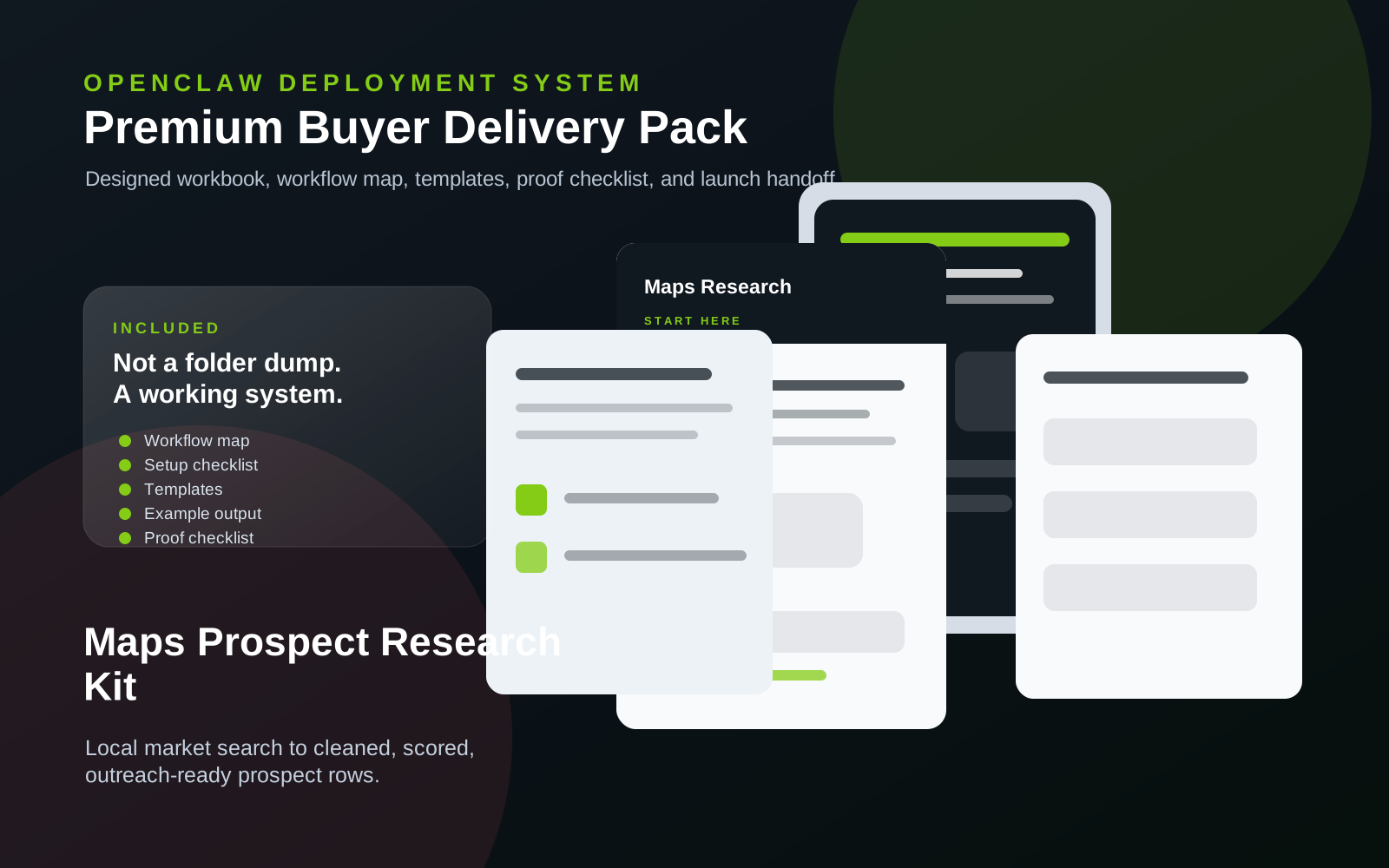
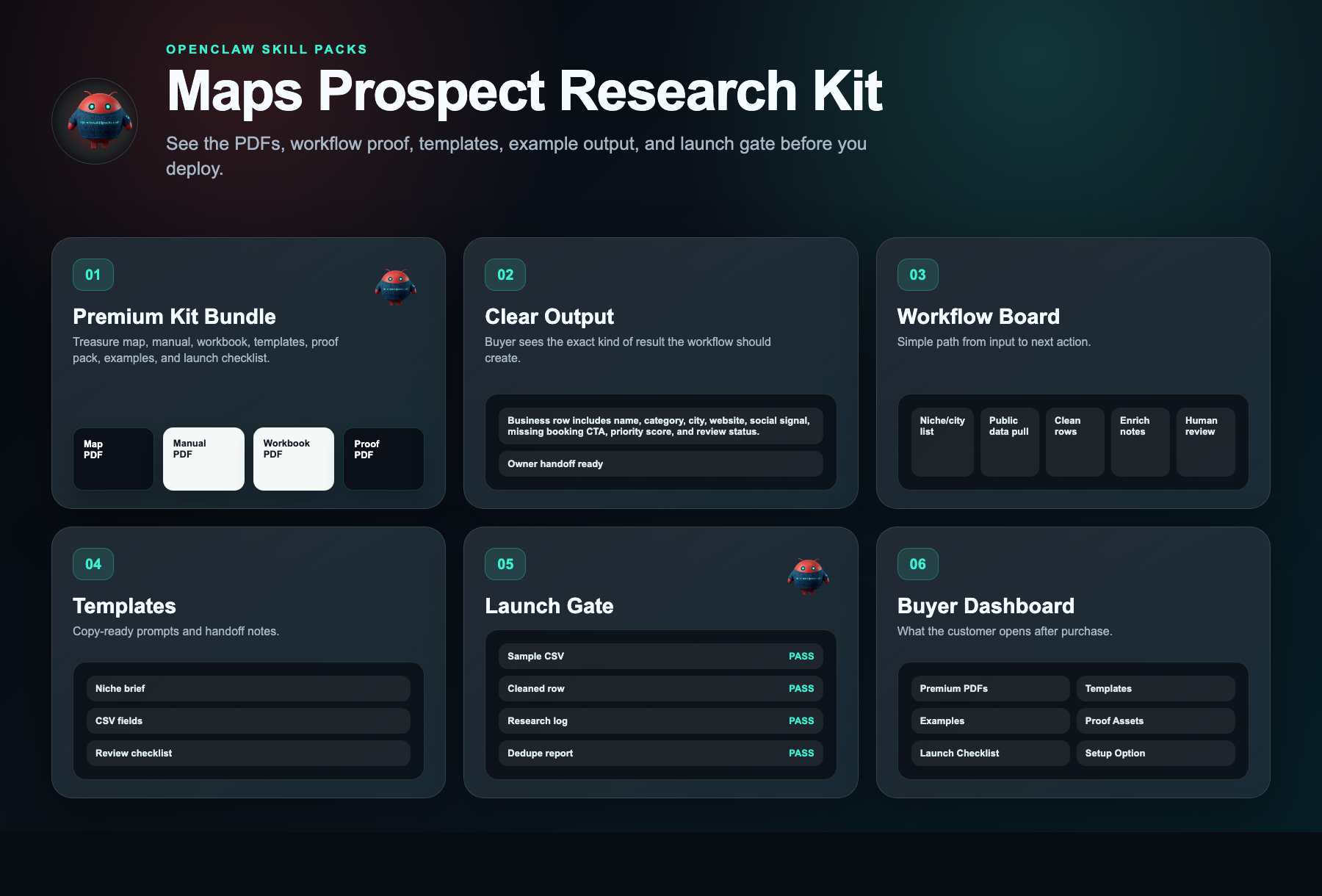
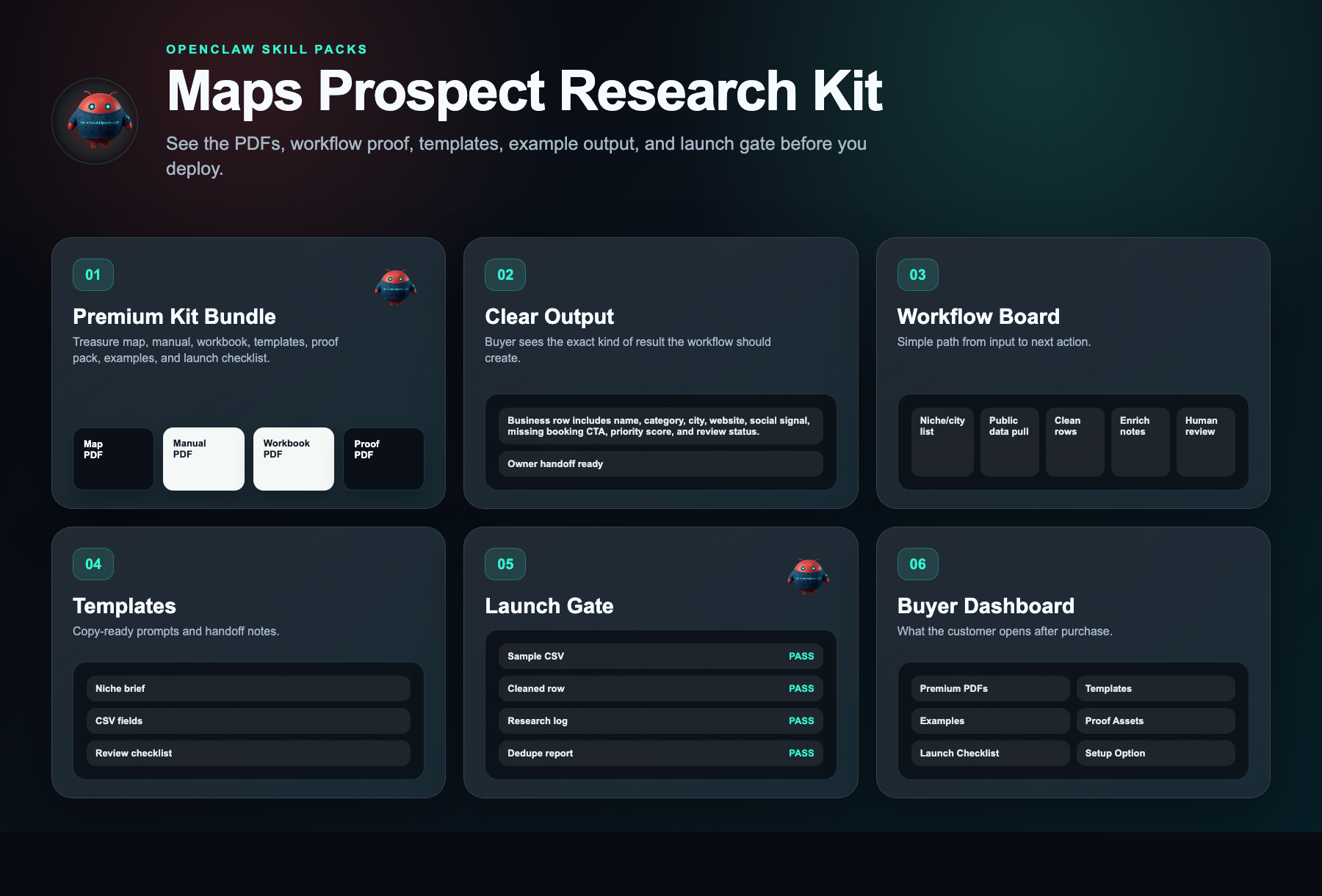
No messy dump. You get clear files, a start guide, the builder-agent prompt, and the next steps.
maps-prospect-research-kit.zip
25 files · 5 PDFs · 0 DOCX · 0 XLSX
Open first
00-START-HERE.md
Start Here
Open this first. It shows what to do now, what to do next, what prompt to give your builder agent, and what done looks like.
Agent-build prompt included
Paste 09-AGENT-BUILD-PROMPT.md into your AI builder so it asks for the right business inputs, builds in no-send mode, saves evidence, and blocks live sends or writes until approved.
No clutter guarantee
No internal notes or mystery files. Each file is labeled and ready to use.
Marketplace-ready images
9 approved images are included for your listing, pitch deck, or resale page.
What runs
What runs inside this kit.
These are the ingredients. The kit is the recipe that connects them into one workflow.
Setup steps
From inspection to launch.
Open the kit and launch the pre-configured Maps research template to load your workspace
Input your target city, industry tags, and radius to lock in your local ideal customer profile
Run the automated scoring workflow to extract, deduplicate, and rank every local prospect by fit in minutes
Export your clean, scored list—with verified contact data—straight into your CRM or outreach tool
Launch your first local prospecting sequence today and start turning ranked leads into booked sales conversations
Document preview
See what is inside.
Every kit helps you start with a clear workflow, simple setup steps, ready-to-use messages, example outputs, and a delivery dashboard.
Evidence status
Watch before you buy.
Watch what you get, how local prospects are found and sorted, and how to start building it yourself.
Evidence walkthrough
Google Maps prospect research demo
Safety layer
Fleet Shield verifies before you deploy.
Every skill in this kit has been reviewed for credential access, external calls, data handling, and permission scope. You see the safety notes before you install.
Who this is for
- Outbound agency owners serving local home services, trades, or professional firms who build location-specific prospect lists for 2+ clients per week
- B2B sales reps and SDRs with city- or metro-level territories who prospect into brick-and-mortar and service-area businesses as part of their daily workflow
- Owner-operators and fractional service providers who handle their own business development and need to find 50+ ideal prospects within a 30-mile radius without paying for expensive databases
Not the right fit
- SaaS, e-commerce, or digital-first brands targeting national or global audiences without local geographic constraints
- Buyers expecting done-for-you lead lists, automated scraping software, or guaranteed appointments—this is a manual DIY research framework and template kit, not a DFY service or tool
Free building blocks
Inspect the ingredients before you buy the recipe.
These skills remain free to inspect. The paid kit shows how to connect, configure, test, and launch them as one working workflow.
Google Maps Lead Scraper
Free scorecard livePulls public local business details into a structured CSV-ready prospect list.
Setup requirement
Target niche, city list, allowed fields, rate-limit rules, and review workflow.
Evidence asset needed
Sample CSV with business name, category, location, contact signals, and source notes.
OpenClaw Scraper Agent
Source-visible proof pathExtracts public business signals and formats them into prospect rows for review.
Setup requirement
Niche, city list, allowed fields, rate limits, and review rules.
Evidence asset needed
Research run log, sample CSV, and cleaned before/after lead row.
Free vs paid
Skills are free. The kit is paid.
Free in OpenClaw
- Skill scorecards
- Findings summaries
- Source visibility
- Fleet Shield notes
- Inspect building blocks
$297 DIY Kit
- 30-minute start guide
- Setup manual
- Fill-in workbook
- Scripts and templates
- Evidence and resale guide
- Workflow map
Premium Setup $497+
- Help setting it up
- Setup for your business
- Connect the handoff
- Help with test runs
- Launch support
Delivery checklist
What happens after purchase
You receive the self-serve deployment kit.
The free skills are still free. The kit is the implementation path that turns them into a working business workflow.
- 1.30-minute start guide PDF
- 2.Setup manual PDF
- 3.Workbook PDF
- 4.Scripts and templates PDF
- 5.Evidence and resale PDF
- 6.Automation files
Need the right fit first?
Tell us what you want AI to fix. We’ll show you the AI agent that can help.
Takes 30 seconds. No spam.
FAQ
What am I paying for?
You pay for the system that helps you put the free skill notes to work. The kit gives you the setup order, workflow map, ready-to-use messages, examples, tests, and launch checklist for a google maps prospecting system with built-in scoring rubrics and review templates that produces a qualified, enriched list of 100+ local service-business leads in under 90 minutes—replacing 6+ hours of manual research..
Are the skills free?
Yes. Skill notes are free to view. The paid kit shows how to use them together for one business job.
Why is the kit $297 if the skills are free?
Because the value is the working path: what to use, what order to use it in, what messages to copy, where the lead goes, and how to test it.
Can I build it myself using only the free skills?
Yes, if you want to work it out yourself. The kit is for buyers who want the short path: files, examples, tests, and launch steps in one place.
What if I want help installing it?
Premium setup starts at $497. That is for buyers who want help configuring the workflow around their business, handoff destination, and launch requirements.
Does it actually work?
Yes. Users replace 6–8 hours of manual Google Maps scraping with one automated workflow. You get scored, deduplicated leads ready to call—billable time reclaimed, lists delivered in under 60 minutes.
Will it work for my business?
If you sell B2B services to local businesses—plumbers, dentists, contractors—it works. The kit targets any local niche, so you stop paying staff to build lists and start prospecting same-day.
What exactly do I get?
The kit includes video training, Google Maps extraction templates, scoring frameworks, and clean-sheet deliverables. Follow the system once and build a qualified local prospect list in under an hour without paying a VA.