OpenClaw kit
Turn one offer into vetted creative, clean links, and a campaign brief ready to launch.
Save ten hours on every campaign and stop leaking money to broken links and missed optimizations.
This page shows the job, the evidence, and the next step. Buy the DIY kit or ask us to set it up.

Kit preview
Marketing Ads Automation Kit
Demo Package Listed
Ready for customers to inspect and buy.
This product has a working demo or recorded workflow asset, a customer-ready delivery package, and checkout enabled after review.
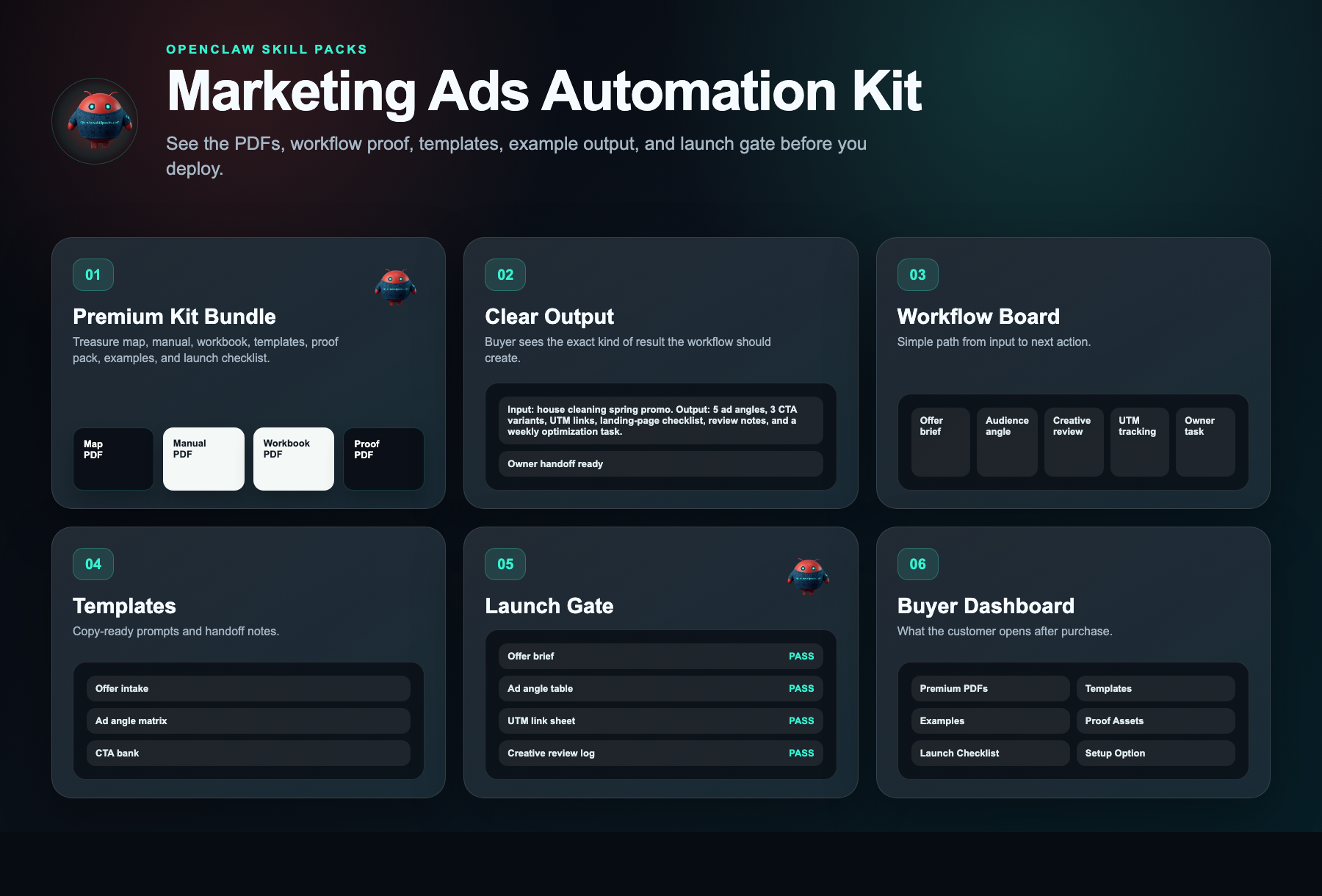
27
Files
5
PDFs
0
DOCX
0
XLSX
- Offer brief
- Ad angle table
- UTM link sheet
- Creative review log
Safety target
Target score before production: 85+ with clean source handling, human review, proof assets, rollback/failure handling, and no unsupported claims.
Ad system agent
See offer intake become ad angles, tracking, and review tasks.
The demo path shows how a buyer can move from offer notes to campaign angles, creative review, UTM tracking, and optimization tasks without pretending ROAS is guaranteed.
The money path
Watch the working agent first. If you want the files, buy the DIY kit for $297. If you want the result, have OpenClaw install the working agent around your real tools, routes, and approval rules.
Matched evidence video
Marketing Ads Automation Kit walkthrough
Watch what you get, what it helps you do, and how to start building it yourself.
Want this working in your business instead of another file pack? Use the install button and we build the agent path for you.
Agent for this kit
Marketing Ads Review Agent
We install the offer intake, ad angle matrix, UTM naming, creative review loop, and owner approval rules.
Step 1
Offer gets captured
The agent asks for audience, offer, price, evidence, and constraints.
Step 2
Campaign assets get drafted
Angles, hooks, creative notes, and tracking tasks are generated.
Step 3
Owner approves tests
The install path creates a review workflow before any campaign launch.
The problem
You do not need more tools.You need one clear fix.
The solution
A plug-and-play campaign operations kit that produces complete 30-day paid ad plans with pre-built angle libraries, UTM-tagged tracking schemas, and daily performance dashboards in under 90 minutes—cutting campaign setup time by 80% and closing every attribution blind spot
Clear result
A plug-and-play campaign operations kit that produces complete 30-day paid ad plans with pre-built angle libraries, UTM-tagged tracking schemas, and daily performance dashboards in under 90 minutes—cutting campaign setup time by 80% and closing every attribution blind spot
Setup time
90-150 minutes self-serve; 2-5 business days with premium setup.
Exact output
--- INPUT --- Offer: FlowState Pro Annual Plan — 50% off for new users (July 1–31) Audience: Freelance PMs & 5–20 person creative agencies Pain Point: Wasting hours switching apps and chasing status updates Campaign Name: q3_annual_50off --- OUTPUT --- [AD ANGLES] 1. "Switching between 5 apps to run one project?" — Consolidation angle. Hook: "FlowState Pro replaces your stack—and this month it’s 50% off." 2. "Your client just asked for a status update you don’t have." — Real-time visibility angle. Hook: "Give clients live portals. Annual plans now 50% off." 3. "The average agency loses 12 hrs/wk to project admin." — Quantified savings angle. Hook: "Cut admin by 60%. Lock in 50% off before July 31." [UTM LINKS] • Meta Paid Social (Tool Fatigue): https://flowstate.com/start?utm_source=meta&utm_medium=paid_social&utm_campaign=q3_annual_50off&utm_content=angle_tool_fatigue • Google Search (Status Update): https://flowstate.com/start?utm_source=google&utm_medium=cpc&utm_campaign=q3_annual_50off&utm_content=angle_status_update • LinkedIn Sponsored (Time Savings): https://flowstate.com/start?utm_source=linkedin&utm_medium=paid_social&utm_campaign=q3_annual_50off&utm_content=angle_time_savings • Email Newsletter (Launch): https://flowstate.com/start?utm_source=newsletter&utm_medium=email&utm_campaign=q3_annual_50off&utm_content=launch_blast [CAMPAIGN TASKS] 1. [Design] 1080×1080 creative for Angle 1 — Due: June 28 2. [Copy] Landing page variant for "tool fatigue" — Due: June 29 3. [Paid] Meta ad set with UTM angle_tool_fatigue + A/B hook test — Due: July 1 4. [Paid] Google Search campaign with UTM angle_status_update — Due: July 2 5. [Ops] Verify UTM pixel firing in GA4 — Due: July 3 6. [Email] Newsletter blast with UTM launch_blast — Due: July 5 7. [Retainer] Pause losers after $500 spend; scale winner — Due: July 10
Package contents
Everything inside the kit.
No messy dump. You get clear files, a start guide, the builder-agent prompt, and the next steps.
marketing-ads.zip
27 files · 5 PDFs · 0 DOCX · 0 XLSX
Open first
00-START-HERE.md
Start Here
Open this first. It shows what to do now, what to do next, what prompt to give your builder agent, and what done looks like.
Agent-build prompt included
Paste 09-AGENT-BUILD-PROMPT.md into your AI builder so it asks for the right business inputs, builds in no-send mode, saves evidence, and blocks live sends or writes until approved.
No clutter guarantee
No internal notes or mystery files. Each file is labeled and ready to use.
Marketplace-ready images
9 approved images are included for your listing, pitch deck, or resale page.
What runs
What runs inside this kit.
These are the ingredients. The kit is the recipe that connects them into one workflow.
Setup steps
From inspection to launch.
Open the kit and enter your core offer details to initialize the workflow framework
Submit your offer for review to receive vetted ad angles tailored to your audience and positioning
Generate unique tracking links for each approved angle to isolate performance across every channel
Assign the detailed campaign tasks to your team using the included timeline to ensure flawless execution
Launch your paid campaigns with the reviewed angles, active tracking, and completed tasks to start capturing results
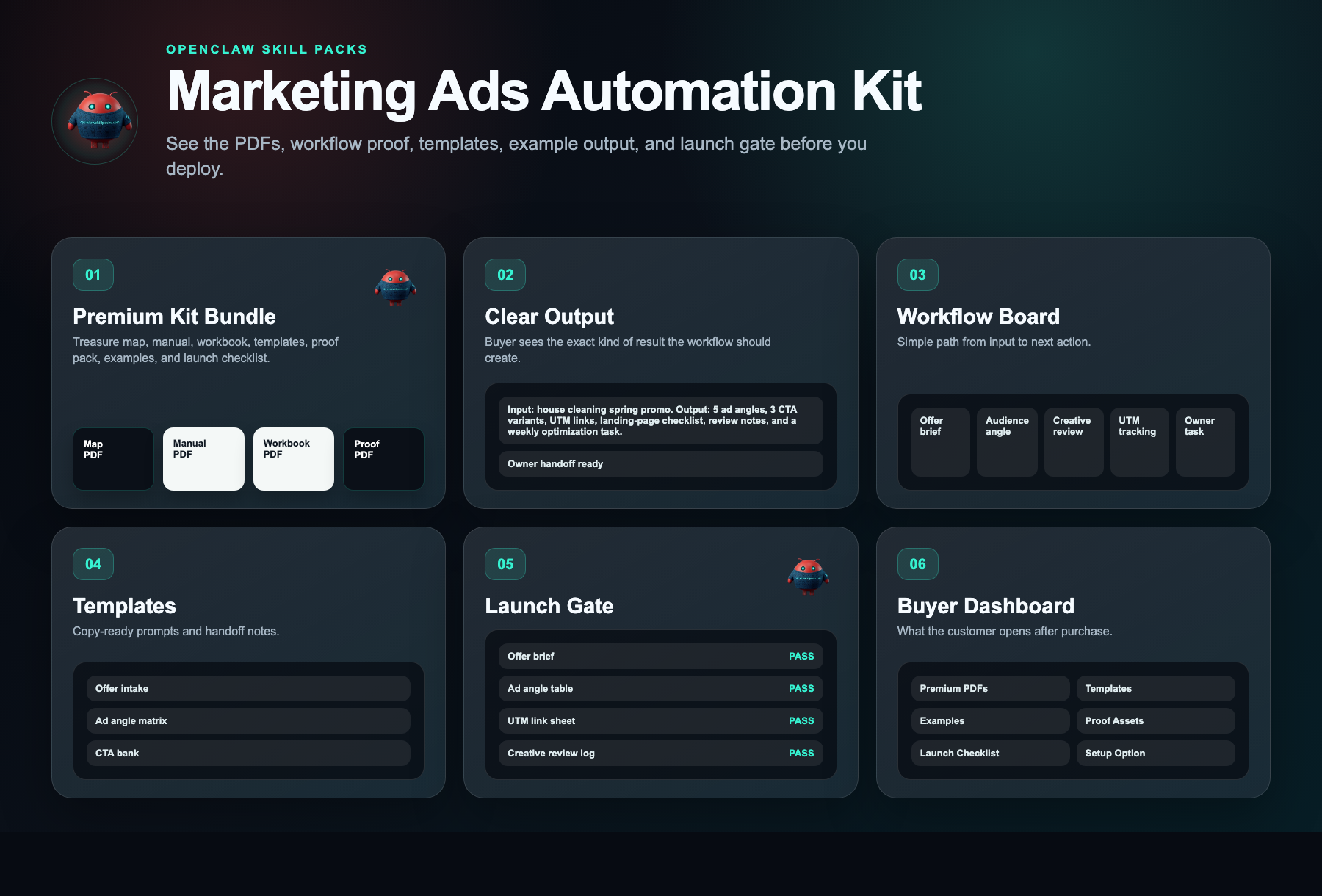
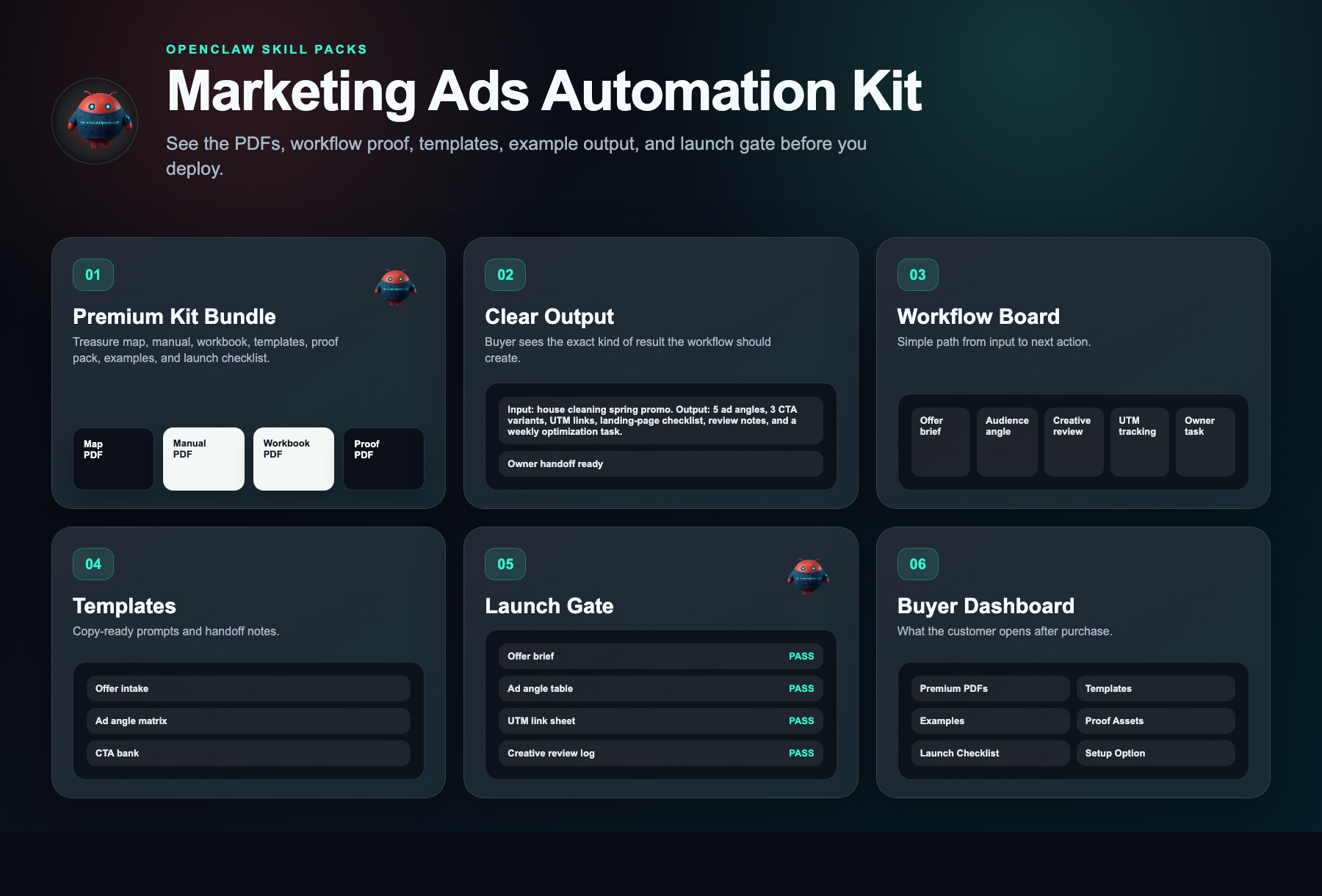
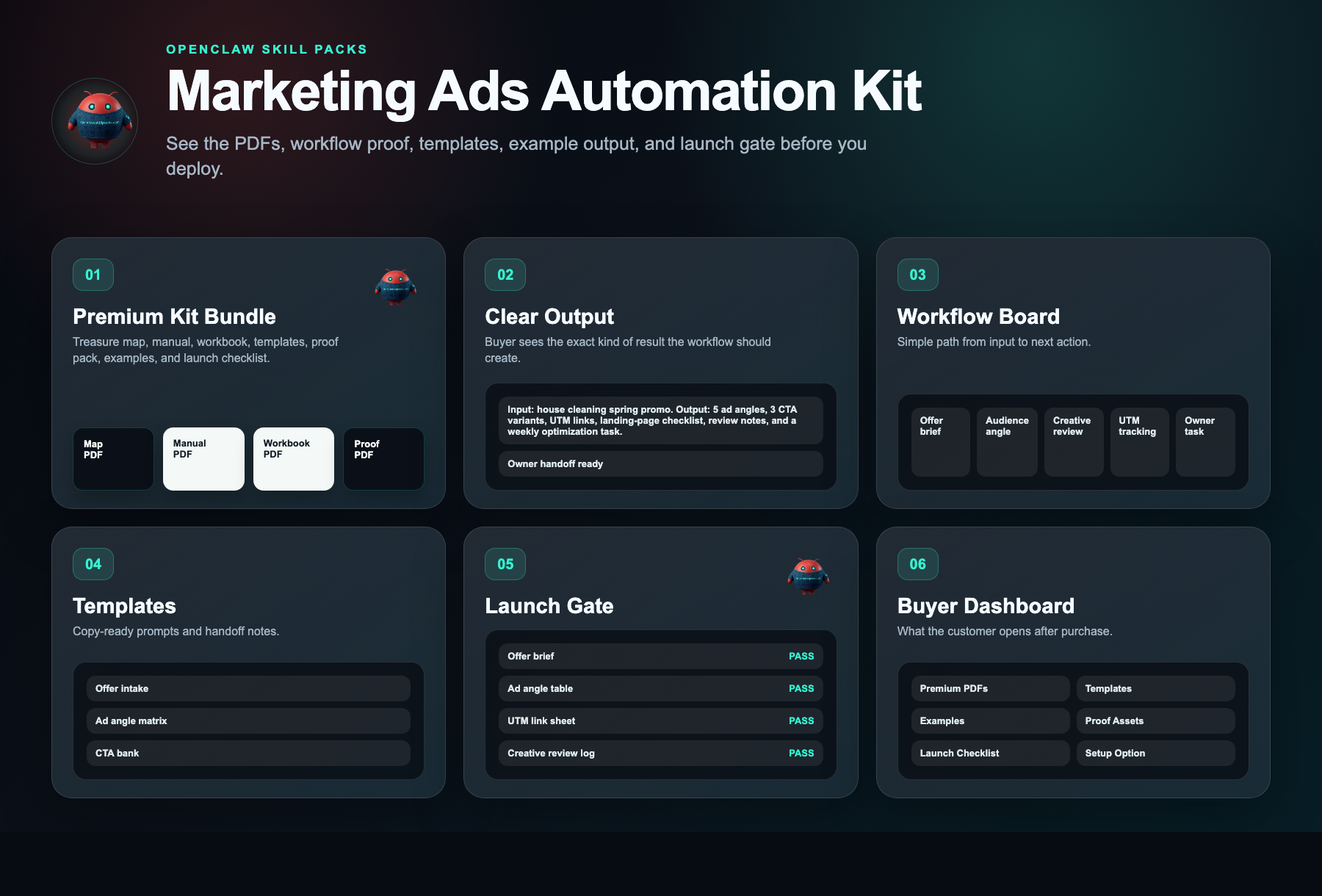
Document preview
See what is inside.
Every kit helps you start with a clear workflow, simple setup steps, ready-to-use messages, example outputs, and a delivery dashboard.

Kit walkthrough
Watch before you buy.
Watch what you get, what it helps you do, and how to start building it yourself.
Kit walkthrough
Marketing Ads Automation Kit walkthrough
Safety layer
Fleet Shield verifies before you deploy.
Every skill in this kit has been reviewed for credential access, external calls, data handling, and permission scope. You see the safety notes before you install.
Who this is for
- In-house marketing managers at local service businesses (home services, legal, dental, HVAC) spending $5K–$50K/month on Meta or Google Ads who need to standardize campaign builds across multiple locations or service lines
- Freelance media buyers and boutique agency owners managing 5+ client accounts who need a repeatable onboarding, angle-research, and UTM-tracking protocol to eliminate scope creep and inconsistent deliverables
- Service business owner-operators preparing to launch their first paid traffic campaign who want a proven pre-flight planning framework before committing ad budget
Not the right fit
- E-commerce or DTC brands looking for product-launch creative strategies, influencer whitelisting, or automated API bidding tools
- Businesses without a validated offer, landing page, or defined target audience who expect the kit to create their marketing strategy from scratch instead of systemizing existing campaign planning
Free building blocks
Inspect the ingredients before you buy the recipe.
These skills remain free to inspect. The paid kit shows how to connect, configure, test, and launch them as one working workflow.
Automated UTM Link Reports
Free scorecard liveKeeps campaign links and source labels consistent.
Setup requirement
UTM naming rules, destination URL, and reporting owner.
Evidence asset needed
Tagged URL sheet and report example.
Free vs paid
Skills are free. The kit is paid.
Free in OpenClaw
- Skill scorecards
- Findings summaries
- Source visibility
- Fleet Shield notes
- Inspect building blocks
$297 DIY Kit
- 30-minute start guide
- Setup manual
- Fill-in workbook
- Scripts and templates
- Evidence and resale guide
- Workflow map
Premium Setup $497+
- Help setting it up
- Setup for your business
- Connect the handoff
- Help with test runs
- Launch support
Delivery checklist
What happens after purchase
You receive the self-serve deployment kit.
The free skills are still free. The kit is the implementation path that turns them into a working business workflow.
- 1.30-minute start guide PDF
- 2.Setup manual PDF
- 3.Workbook PDF
- 4.Scripts and templates PDF
- 5.Evidence and resale PDF
- 6.Automation files
Need the right fit first?
Tell us what you want AI to fix. We’ll show you the AI agent that can help.
Takes 30 seconds. No spam.
FAQ
What am I paying for?
You pay for the system that helps you put the free skill notes to work. The kit gives you the setup order, workflow map, ready-to-use messages, examples, tests, and launch checklist for a plug-and-play campaign operations kit that produces complete 30-day paid ad plans with pre-built angle libraries, utm-tagged tracking schemas, and daily performance dashboards in under 90 minutes—cutting campaign setup time by 80% and closing every attribution blind spot.
Are the skills free?
Yes. Skill notes are free to view. The paid kit shows how to use them together for one business job.
Why is the kit $297 if the skills are free?
Because the value is the working path: what to use, what order to use it in, what messages to copy, where the lead goes, and how to test it.
Can I build it myself using only the free skills?
Yes, if you want to work it out yourself. The kit is for buyers who want the short path: files, examples, tests, and launch steps in one place.
What if I want help installing it?
Premium setup starts at $497. That is for buyers who want help configuring the workflow around their business, handoff destination, and launch requirements.
Does it actually work?
Yes. It stops budget leaks from broken tracking and scattered creative. Teams build campaigns faster with reviewed angles and proper UTMs, so you spend less time fixing errors and more time scaling profitable ads.
Will it work for my business?
If you run paid traffic, it works. The workflow adapts to any offer. You will cut wasted spend on untested creative and reduce hours spent building campaigns from scratch.
What exactly do I get?
You get a complete workflow: reviewed ad angles for one offer, ready-to-use UTM tracking links, and a task list to launch. It replaces guesswork with a repeatable system that protects your budget.